Beehiiv A/B Testing: The Complete 2026 Guide (Subject Lines and Beyond)
How Beehiiv A/B testing actually works in 2026, what it tests (subject lines), how to set it up, sample size and duration, and the one thing it can't test: your upgrade page. Full guide with the fix.
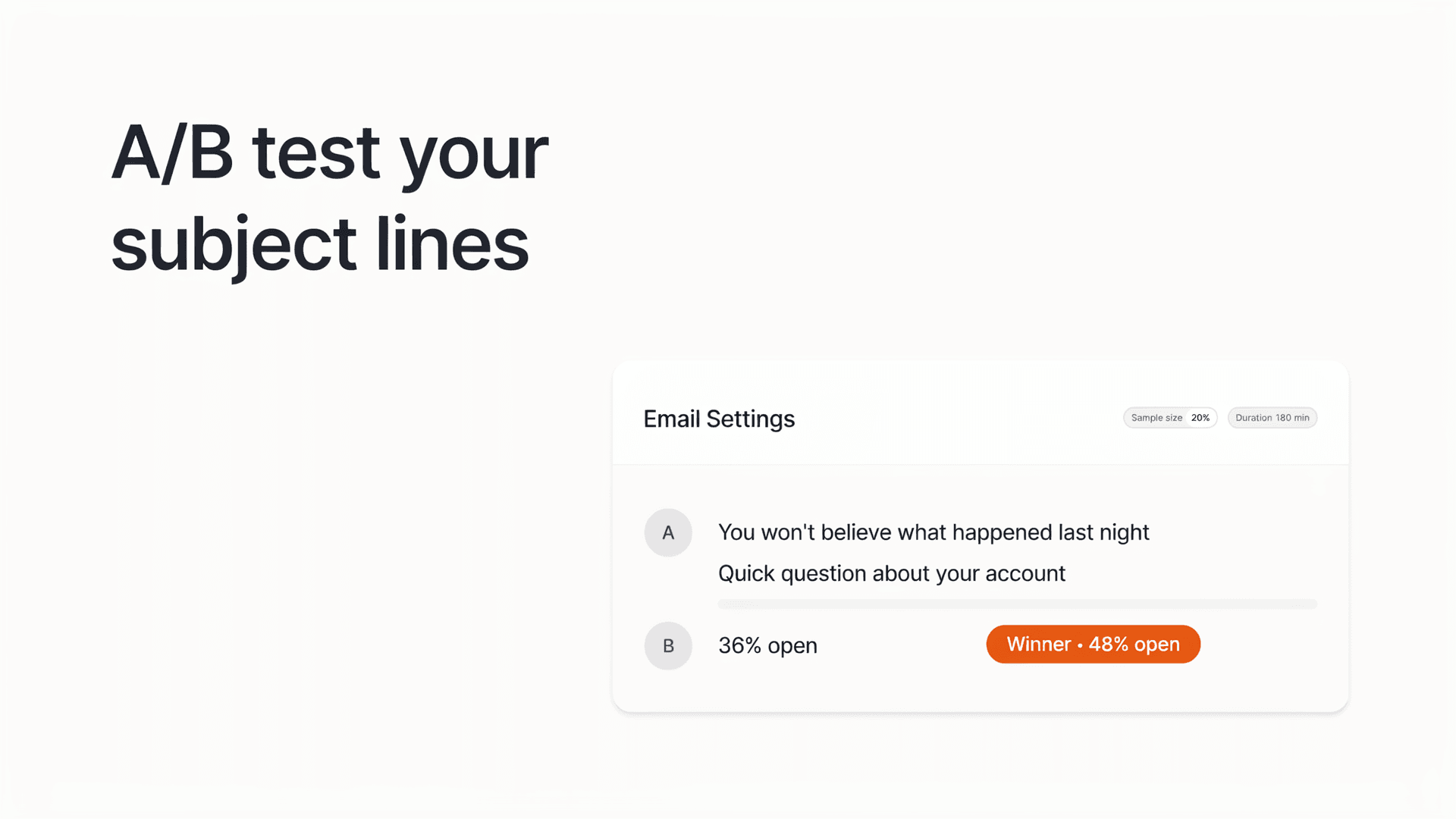
The short answer: Beehiiv's built-in A/B testing tests email subject lines, you create 2 variants (Grow plan) or up to 4 (Scale plan), send them to a sample of your list, and Beehiiv automatically sends the higher-opening one to everyone else. It can't test email content, send times, or your upgrade/paywall page. To test the page where revenue actually happens, you need a page-level split-testing tool on top of Beehiiv.
A/B testing is the fastest way to stop guessing what your audience wants. Beehiiv has it built in, it's genuinely useful, and most creators either ignore it or misunderstand what it covers.
Here's the thing to get straight up front: Beehiiv's native A/B testing does exactly one job, and it does it well, subject lines. Everything else people think they can test in Beehiiv (content, send time, the paywall) either isn't supported or needs a separate tool. This guide covers how Beehiiv A/B testing works, how to set one up step by step, and where its boundary is, so you know what to run inside Beehiiv and what to run elsewhere.
What can you A/B test in Beehiiv?
Beehiiv's native A/B testing covers email subject lines only. You can test 2 subject line variants on the Grow plan and up to 4 on the Scale plan. Beehiiv sends each variant to an even slice of a sample audience, measures open rates over a set window, then automatically sends the winning subject line to the rest of your list. In Beehiiv's own words on its A/B testing feature page: "right now you can only test subject lines, but content A/B testing is on the roadmap."
Subject lines are the right first thing to test, because the open is the gate. If a reader never opens the email, nothing inside it, your content, your links, your upgrade pitch, gets a chance to work. Optimizing the subject line raises the ceiling for everything downstream.
But it also means Beehiiv's testing stops at the inbox. More on that boundary below.
How to set up an A/B test in Beehiiv (step by step)
Setting up a subject-line test takes about a minute inside the post editor. A/B testing is available on the Grow plan or above, per Beehiiv's setup documentation.
Step 1: Open Email Settings
In a new post, go to Configure → Email Settings.
Step 2: Add your subject lines
Enter your first subject line, then click Create A/B Test. A field for Subject Line B appears. On Grow you can test two; on Scale you can test up to four.
Step 3: Adjust the test settings (Scale plan)
Click into A/B test settings to see two controls (modifying these requires the Scale plan):
- Duration, how long the test runs before Beehiiv picks a winner. You can set it anywhere from 5 to 240 minutes (Beehiiv pre-fills a default you can change). Once a test starts, you can't end it early.
- Sample size, what share of your list goes into the test, adjustable from 1% to 100%. Beehiiv shows you the subscriber count for your chosen percentage and splits that group evenly across your variants.
Step 4: Send
Beehiiv runs the test for your chosen window, checks which subject line won on open rate (using statistical significance where it can, raw opens otherwise), and sends that winner to the remaining audience automatically.
Worked example: With 100,000 subscribers, a 20% sample, and two subject lines, Beehiiv sends 20,000 test emails (10,000 per variant). After the duration ends, the winning subject line goes to the other 80,000.
Testing your whole list vs. a sample
You can also set the sample size to 100% to test across your entire audience at once. This splits everyone evenly across your variants and sends simultaneously. The trade-off, per Beehiiv's docs:
- Pro: more data means a higher chance of a statistically significant result, and everyone gets the email at the same time (useful if send timing matters to your brand).
- Con: there's no "remaining audience" to receive the winner, so half your list (in a two-variant test) gets the losing subject line. It becomes a learning exercise rather than a way to maximize this send's opens.
Use a smaller sample when you want to protect most of your list from the loser; use 100% when your list is small and you'd rather have significance plus a single synchronized send.
What Beehiiv A/B testing can't do
Beehiiv's A/B engine doesn't test email content, send times, or any web page, including your upgrade page and paywall. Its feature FAQ states plainly that subject lines are the only supported variable today.
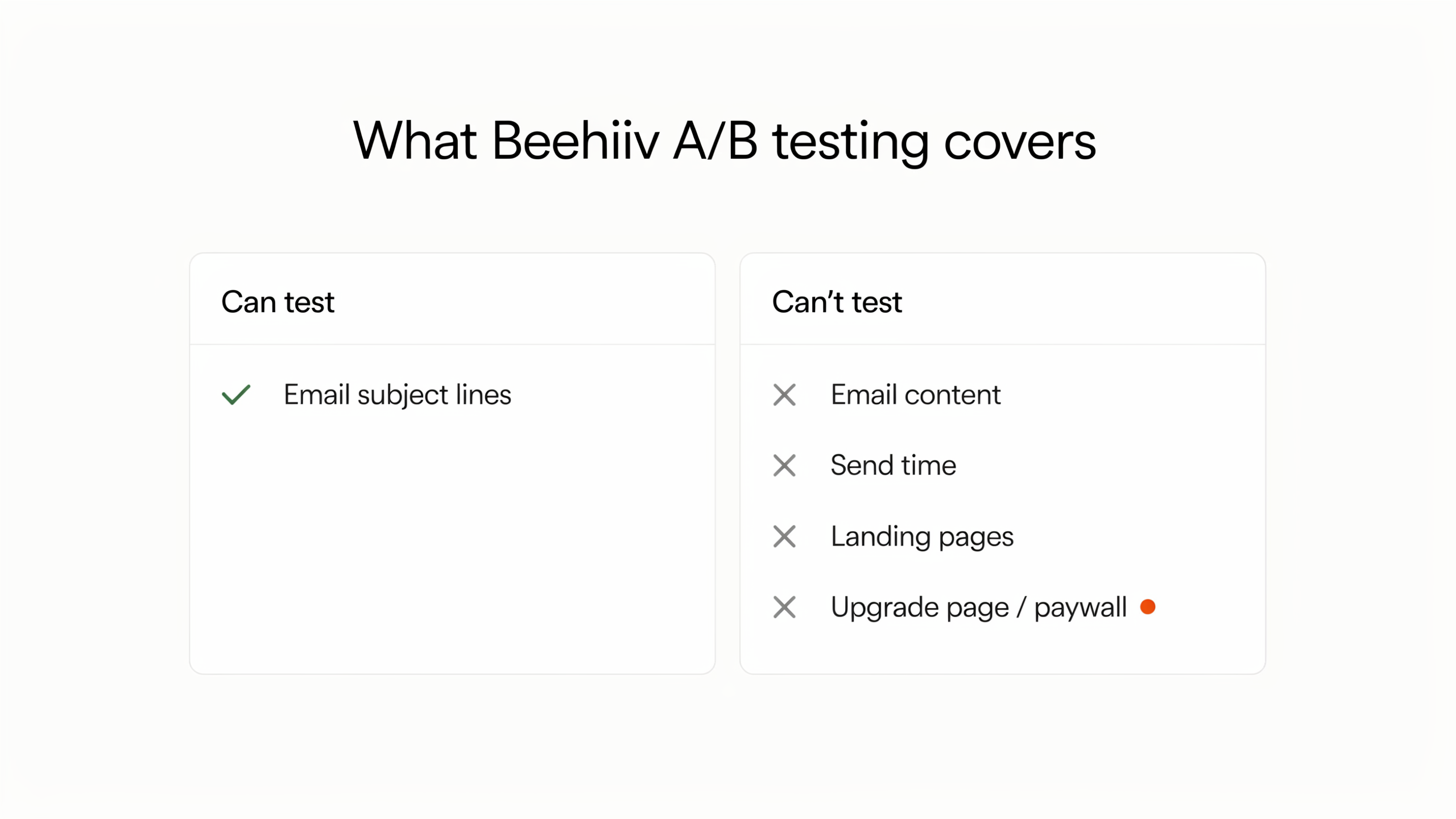 There's no native multivariate testing (unlike Mailchimp), and critically, no way to split readers between two paywalls or two upgrade pages and compare which converts more paying subscribers.
That last gap is the expensive one. The decision to pay doesn't happen in the inbox, it happens on the upgrade page, where your headline, pricing, offer, social proof, and layout all live. Beehiiv lets you fully customize that page (see our Beehiiv paywall setup guide), but it can't tell you which version of it makes the most money.
That's where a page-level tool like Humblytics comes in. It runs server-side split tests on the upgrade page itself and scores the winner in subscription revenue (MRR), not opens, so you can finally test "$8/mo founder price vs. 7-day free trial" with real data. The full walkthrough is in How to A/B test newsletter upgrade pages with Beehiiv + Humblytics. The clean split: Beehiiv wins the open, Humblytics wins the upgrade. Humblytics is about 16KB and starts at $79/month with A/B testing included on every plan.
Subject-line testing best practices
A few habits make your Beehiiv tests actually move the needle:
- Test one thing at a time. Vary the angle (curiosity vs. benefit vs. number), not five things at once, or you won't know what won.
- Give it enough sample. Tiny samples produce noisy winners. If your list is small, lean toward a larger sample percentage.
- Test the angle, not just the words. "The metric I stopped tracking" vs. "5 ways to grow your list" is a real test; swapping one adjective usually isn't.
- Log what wins. Patterns repeat. Keep a running note of which subject-line styles win for your audience.
- Don't over-test a small list. Below a few thousand opens per send, predictive tools that model subject-line performance before you send can be a better use of time than live splits.
Frequently asked questions
Does Beehiiv have A/B testing? Yes, for email subject lines. You can test 2 variants on the Grow plan and up to 4 on the Scale plan. Beehiiv sends them to a sample, then automatically sends the winner (by open rate) to the rest of your list.
What can you A/B test in Beehiiv? Only subject lines today. Beehiiv's feature page states content testing is "on the roadmap." Email content, send times, landing pages, and upgrade/paywall pages are not testable natively.
Can Beehiiv A/B test landing pages or upgrade pages? No. To split-test an upgrade page or paywall and read the winner in revenue, you need an external page-level tool like Humblytics layered on top of Beehiiv.
What plan do I need for Beehiiv A/B testing? The Grow plan or above. Grow allows 2 subject-line variants; Scale allows up to 4 and unlocks the duration and sample-size settings.
How long should a Beehiiv A/B test run? You can set it anywhere from 5 to 240 minutes on the Scale plan. Open rates accumulate fast, so a few hours is usually enough for subject lines, unlike upgrade-page tests, which need days to weeks to reach significance.
How big should my sample size be? Beehiiv lets you choose 1% to 100%. Use a smaller sample to shield most of your list from the losing subject line; use up to 100% on a small list when you need significance and a single synchronized send.
Sources
- Email A/B Testing Tool for Newsletters, beehiiv (subject-line-only scope; "right now you can only test subject lines")
- How to set up an A/B Test in beehiiv (setup steps, Grow/Scale, duration, sample size)
- A/B Testing: The Key to Unlocking Better Email Newsletter Performance, beehiiv (what to test, plan tiers)